Core concepts.
sparx is a modular content and commerce operating system. Five ideas shape every endpoint in these docs — understand them once and the rest of the API follows.
Tenants & isolation
Every account on sparx is a tenant. A tenant owns all of its data — sites, products, customers, content, emails — and is completely isolated from every other tenant. Authentication is handled by self-hosted Better Auth, whose organizations map one-to-one to sparx tenants.
Isolation is not an application convenience you have to remember to apply — it’s enforced at the database. Every tenant-scoped table carries a tenant_id, and PostgreSQL Row-Level Security policies are the backstop: even a buggy query can only ever see the current tenant’s rows. Your API key carries a tenant context, and the database refuses to return anything outside it.
tenant_id in API calls and you can’t reach another tenant’s data by guessing ids. The key is the tenant scope.Modules
sparx is one platform made of independently-activated modules. A tenant turns on only what it uses and pays only for that — a CMS-only publisher, a CRM-only team, and a full B2B distributor are all equally first-class. Selling is one capability, never the assumption.
| Module | What it does |
|---|---|
builder | The visual site builder — pages, layouts, and reusable components as node trees. |
commerce | Catalog, variants, cart, checkout, and the storefront. |
cms | Content types, entries, revisions, and publishing. |
crm | Customers, B2B accounts, deals, and orders. |
invoicing | Quotes, estimates, invoices, and payments — one document engine. |
email | Broadcasts, automations, and transactional sends. |
b2b | Wholesale accounts, payment terms, price lists, and quoting. |
dropship | Supplier integration and dropship fulfillment. |
ai | The MCP server — AI agents reading and writing live tenant data. |
Modules are feature-flagged, not separately deployed. A disabled module stores no rows, runs no workers, and its endpoints return a clear error rather than partial behavior:
{ "success": false, "error": { "code": "module_disabled", "message": "The commerce module is not active for this tenant." } }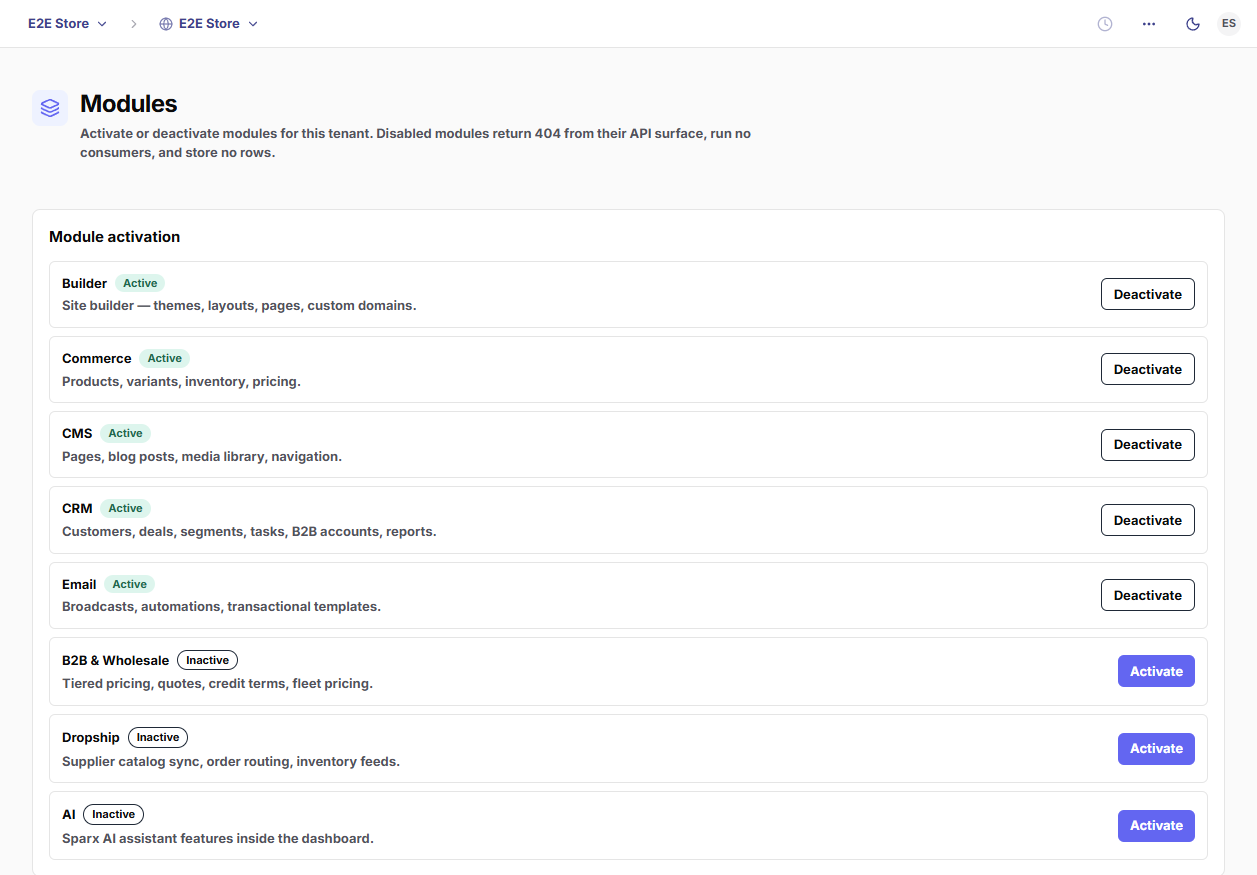
API-first
Every feature exists as an API endpoint before it exists as a screen. The dashboard at app.sparx.works is just one consumer of the same surface your code calls — anything the UI can do, you can do. The API is exposed two ways from one schema:
- REST at
api.sparx.works/v1— resource-oriented, the default for most integrations and webhooks. - GraphQL — the same data, for fetching a deep object graph in one round trip.
- MCP at
mcp.sparx.works— the API as tools an AI agent can call directly.
Every REST response shares one envelope, so success, pagination, and errors are uniform:
// Success
{ "success": true, "data": { /* the resource */ } }

// Success with pagination
{ "success": true, "data": [ /* … */ ], "meta": { "next_cursor": "…", "total": 128 } }

// Error
{ "success": false, "error": { "code": "module_disabled", "message": "…" } }
Successful responses are { success: true, data } (with an optional meta for pagination); failures are { success: false, error } with a machine-readable error.code.
Events
sparx never inlines side effects in a request handler. When something happens — an order is paid, a content entry is published — the handler writes its data and publishes an event. Workers consume those events asynchronously: rendering and sending email, reindexing search, revalidating caches.
This keeps writes fast and the system loosely coupled — and it’s the same stream you can subscribe to. See Webhooks & events for the catalog, the signed delivery model, and how to receive events in your own app.
One data layer
Modules share a single database, not a constellation of disconnected services. A customer created in the CRM is the same customer Commerce attaches an order to and Email sends a broadcast to — there are no parallel records to reconcile. The CRM owns the customer spine (customers and b2b_accounts); other modules reference it.
The flip side of one shared layer is that isolation has to be ironclad — which is exactly why Row-Level Security sits underneath everything. Your data is yours: it’s never blended with another tenant’s, and it’s exportable.
The surfaces
Where everything lives:
| Host | What it serves |
|---|---|
api.sparx.works | The REST & GraphQL API. |
mcp.sparx.works | The MCP server for AI agents. |
app.sparx.works | The tenant dashboard. |
<tenant>.sparx.zone | Tenant storefronts (and custom domains). |
sparx.works | The marketing site and these docs. |
Next, get a key and make your first authenticated call — Authentication.